![logo-full-landscape-1024-1.png]](https://help.bopple.com/hs-fs/hubfs/logo-full-landscape-1024-1.png?width=100&height=31&name=logo-full-landscape-1024-1.png)
🎯 Lead with product images
Ensure every product has a clear, appetising photo. Menus with photos across all items consistently see higher conversion rates and larger average order values than text-only menus. Also, our automated upsells on products and checkout will only show products that have an image.
💬 Chat to our team about our library of images and descriptions for common products.
🤖 Check out our guide on how to create high quality images with Google Gemini
.gif?width=670&height=377&name=Untitled%20(3).gif)
🎯 Don't skip the description
Provide a short, helpful description for every item, highlighting key ingredients and flavours. Don't leave your customers guessing what’s in a dish. A good description answers common questions and reduces the friction of uncertainty that prevents a sale.
🎯 Focus on readability
Review the naming of your categories, products and modifiers to ensure they are well formatted and readable. This includes things like using Title Case rather than ALL CAPS (eg. FLAT WHITE ➜ Flat White), and avoiding back of house shorthand and abbreviations like "FW", "capp", "LB", "SML" etc.
You can improve menu item naming in your POS, or fine-tune it in Bopple Back Office. We can apply override improvements in bulk with our menu cleanup automations ✨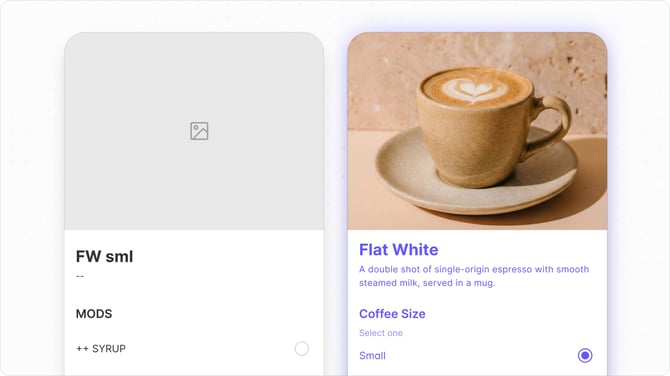
🎯 Structure for easy browsing
If a customer has to scroll through 50 items in a "Food" category to find a sandwich, they’ll likely give up. Break your menu down into specific, intuitive sections like "Burgers," "Sides", or "Signature Cocktails" to help customers find what they want in seconds.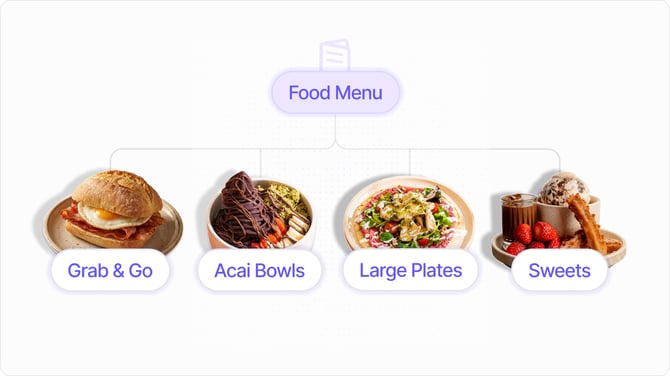
🎯Offer the full menu
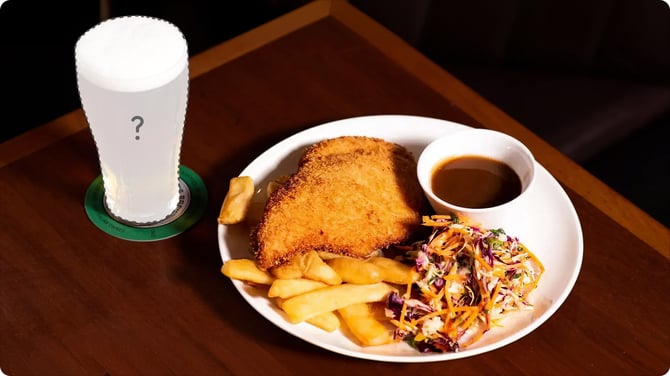
Let customers order all of your core offerings, including drinks, sides, and desserts. One of the biggest revenue killers is excluding high-margin items like beverages from online menus. Hide or restrict categories only when absolutely necessary, such as items that don't travel well for delivery, or making alcohol dine-in only due to licensing obligations.
🎯 Be careful with modifiers
Online ordering should be as flexible as a face-to-face conversation. Ensure customers can easily swap milks, add extra protein, or remove onions. This reduces "order anxiety" and ensures the customer gets exactly what they want.
At the same time, it's important to optimise your setup to minimise friction and confusion. Tailor your option sets for each item, make use of collapsable modifiers to keep the customer experience clean, and avoid required selections where it's not completely necessary.
Menu review service ✅
Start a live chat 💬 with our team if you'd like us to review your menu and share some specific, actionable suggestions to improve your conversion.