![logo-full-landscape-1024-1.png]](https://help.bopple.com/hs-fs/hubfs/logo-full-landscape-1024-1.png?width=100&height=31&name=logo-full-landscape-1024-1.png)
Can't receive SMS login code – no longer have access to the phone number on the Stripe account
This might have happened if you have changed phone numbers, or if the person who activated the Stripe account no longer works at your business.
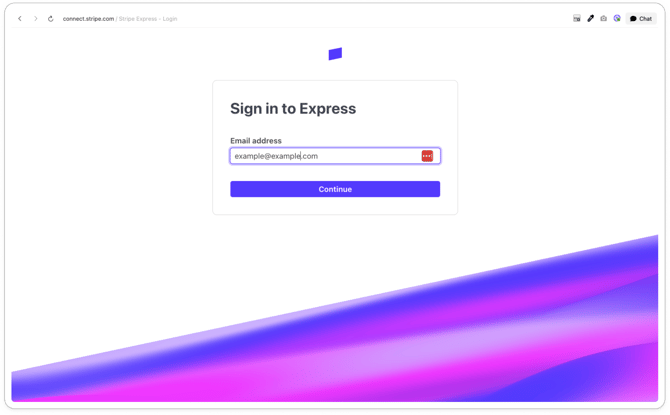
- Go to connect.stripe.com/express_login
- Enter the email address on the account (if you're not sure what email you used, you may need to try various emails that you own or manage)
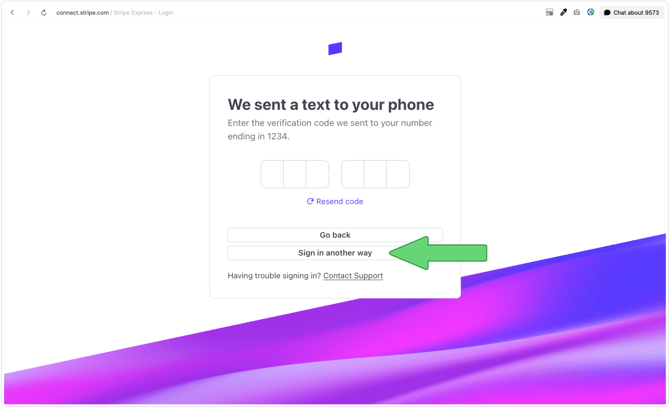
- When asked for the 6-digit code sent via SMS, select
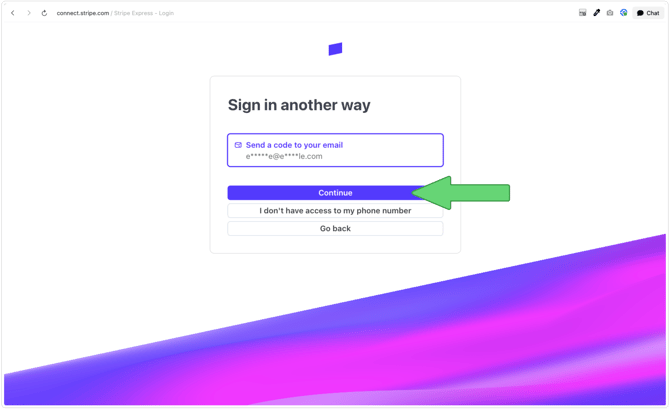
Sign in another way - Select the email address on your account and click
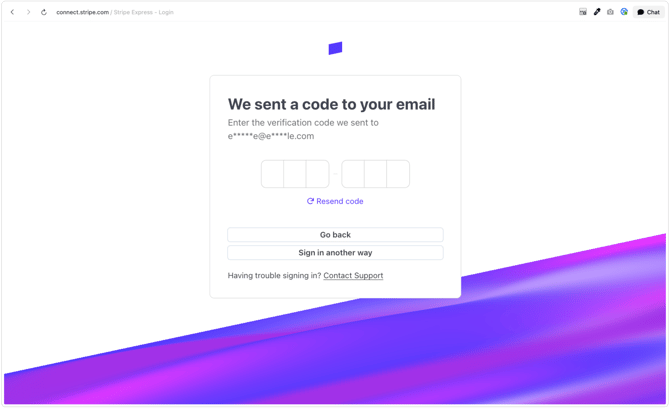
Continue - Enter the code sent to your email
- Once logged in, go to
Settings→Profile settings, and update the phone number underAuthentication details
See further down for screenshots showing the above flow
Can't receive EMAIL login code – don't have access to the email address on the Stripe account
If you're unable to receive login codes via SMS, and also can't access the email address used on the account to receive login codes via email, follow the steps below.
Option 1: If it is a business email, check if it can be reinstated
If it's a business email address that's been archived or deactivated (eg. for an employee that no longer works in the business), ask your IT team or email provider whether it can be reinstated, even temporarily. If they're able to restore access:
- Go to connect.stripe.com/express_login
- Enter the email address on the account
- When asked for the 6-digit code sent via SMS, select
Sign in another way - Select the email address on your account and click
Continue - Enter the code sent to your email
- Once logged in, go to
Settings→Profile settings, and update the email address underAuthentication details
Option 2: Contact Bopple support
If the email genuinely can't be reinstated, contact Bopple support. We'll help you begin the process of setting up a new payout account with login details you can actually access and manage. This should only be used as a last resort.
Bopple cannot change sensitive details on your Stripe account, especially if you don't have access to manage the account. This includes any changes to the email or phone number used to login, as well as changes to the bank account that receives payouts.
Request a login code via email when you can't receive SMS