![logo-full-landscape-1024-1.png]](https://help.bopple.com/hs-fs/hubfs/logo-full-landscape-1024-1.png?width=100&height=31&name=logo-full-landscape-1024-1.png)
🧪 Beta feature – Program customisation and in-store loyalty with Lightspeed are currently available in beta. The default loyalty program is available to all merchants. Register your interest here.
Watch the video below to see how in-store loyalty works with Lightspeed, then follow the steps in this guide.
Check-in Pay
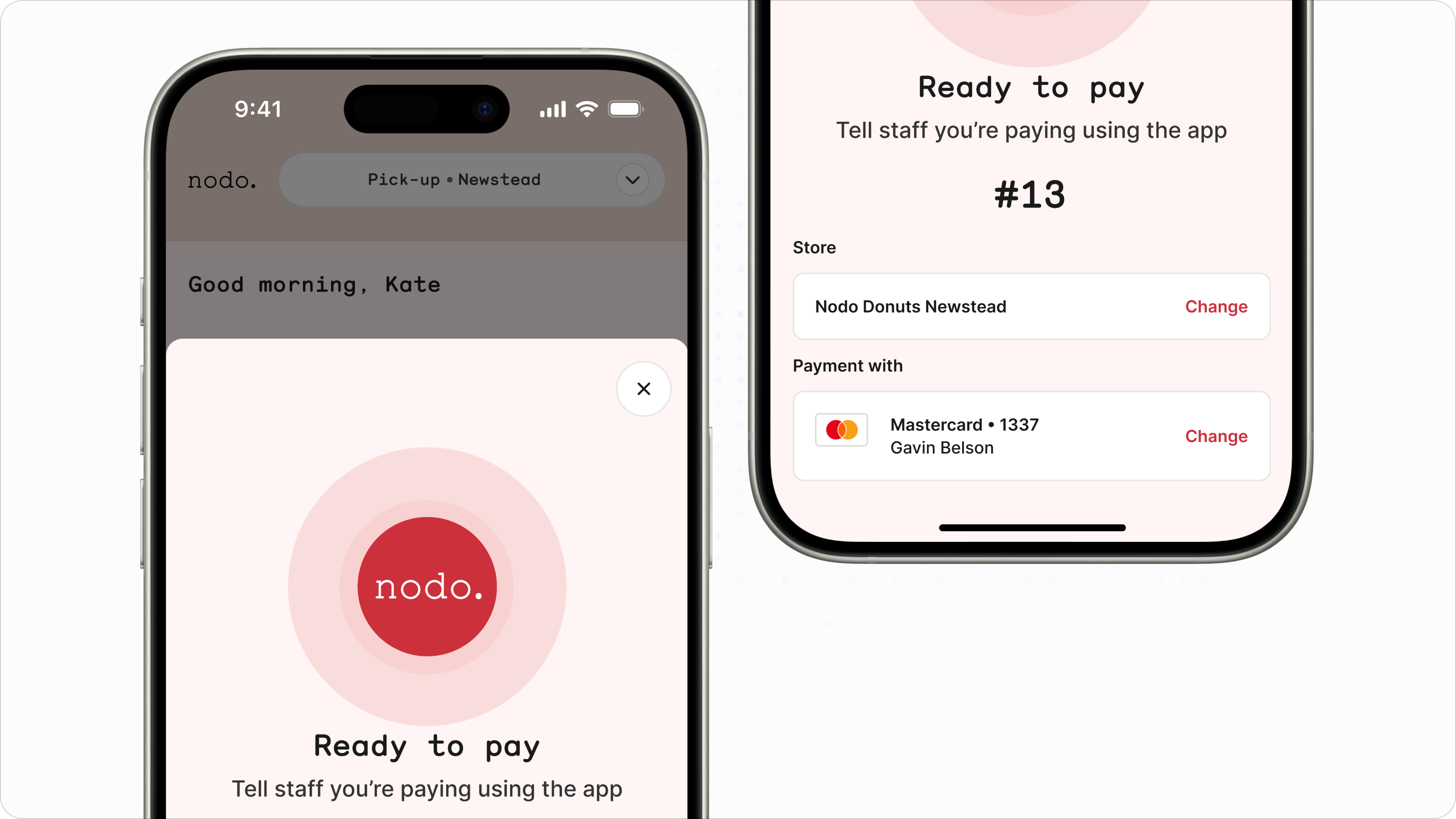
Check-in Pay is the fastest way to link a customer to an in-store order. Customers check in via your branded mobile app and receive a 2-digit code — staff match that code at checkout to link them instantly. No searching, no friction. Because payment is processed through Bopple, points are awarded automatically.
ℹ️ Check-in Pay is currently only available on your branded mobile app. Customers ordering via web or a marketplace app won't have access to this feature.
- The customer opens your branded mobile app and checks in to your store
- They receive a 2-digit code — ask them to have it ready at the counter
- Click Add Customer and select the matching profile
- Any available rewards will appear under the Bopple tab — redeem at the customer's request
- Go to checkout and select Bopple
- Tap the code that matches what the customer provided
Points are awarded automatically and the order is saved to the customer's app history.
Searching for customers
If a customer hasn't checked in, or doesn't have the app, you can search for them manually using their name, email, phone number, or barcode.
- On Lightspeed POS, enter the order
- Click Add Customer
- Search by name, email, phone number, or scan the customer's barcode
- Select the customer profile
- Any available rewards will appear under the Bopple tab — redeem at the customer's request
- Go to checkout and process payment
⚠️ By default, customers only earn points on orders paid through Bopple. If you'd like customers to earn points on cash or eftpos payments made through the POS, ask us to enable this for you.
You can contact us by starting a 💬 live chat below or 📧 email us on help@bopple.com
Refunding orders
Refunding a loyalty order works the same way as any other POS refund.
- In Lightspeed POS, go to Menu (top left) → History
- Find the order you wish to refund
- Press Refund and follow the prompts
ℹ️ Full refunds will reverse the customer's points. Partial refunds have no impact on points.